Create Xero Client App v1
This document describes how to set up a custom app in Xero.
1. Create the App
-
Log in to My Apps and click
New App. Give the integration a name and selectWeb appas the integration type. -
Add the Company or application URL. This could be anything, up to your discretion.
-
Add the
Redirect URI. This is required and needs to be:https://app.flowgear.net/r/auth. -
Click
Create App.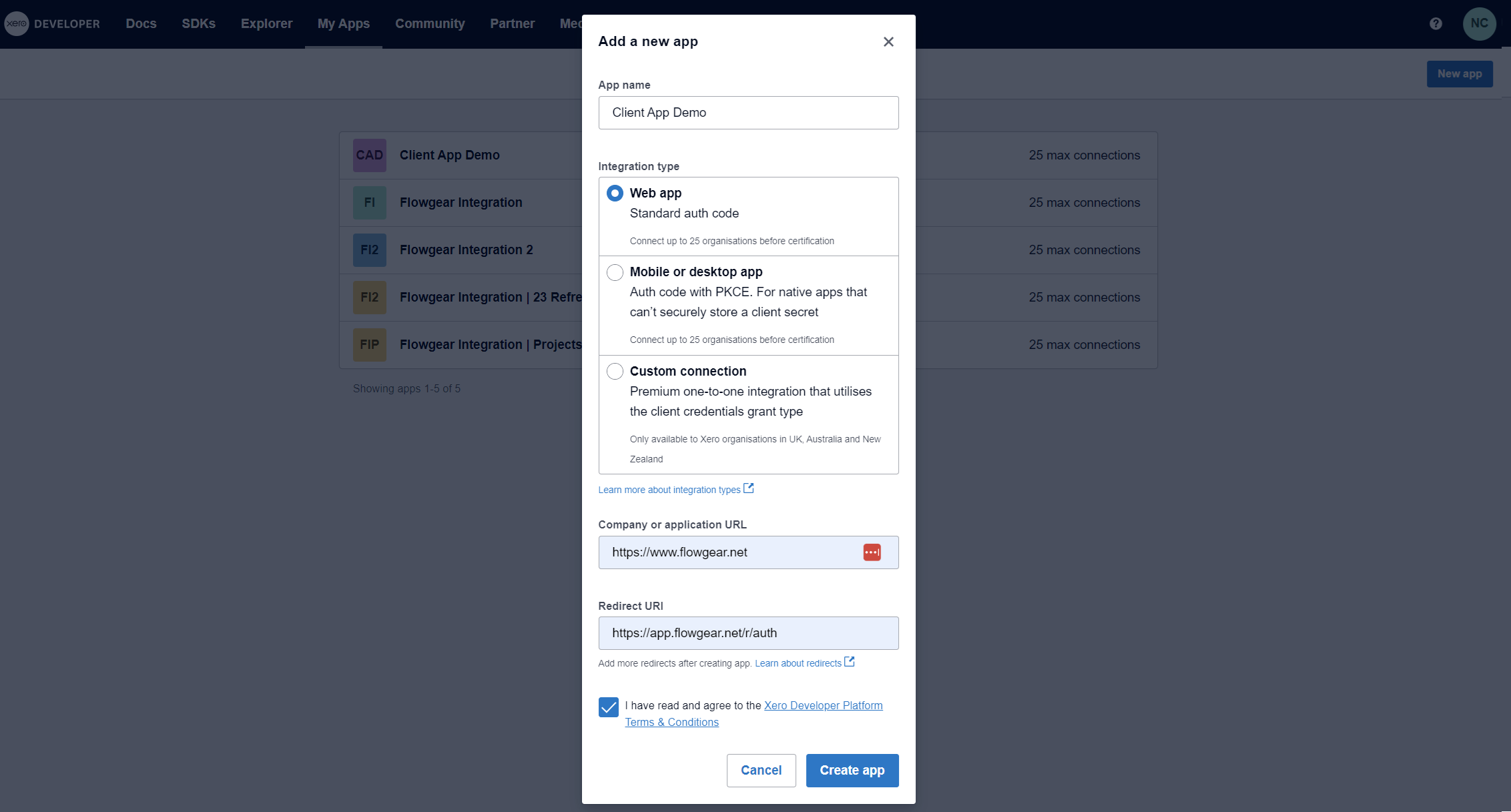
2. Generate a Secret
-
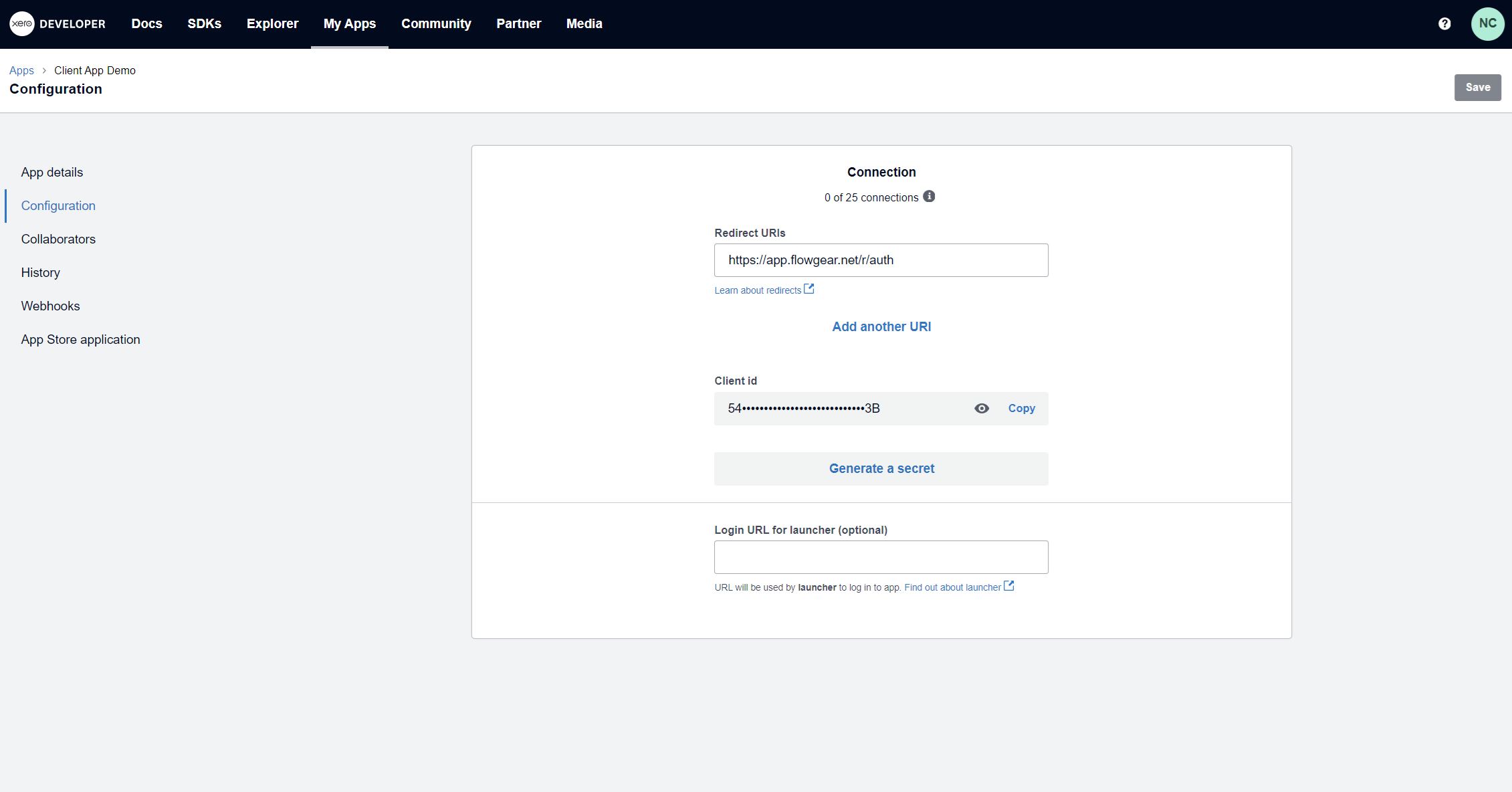
After creating the app, go into the detail screen for the app and choose the
Configurationtab. -
Click
Generate a Secret. -
Copy the
Client IDandClient Secret. This will be required when setting up a new Xero Connection in Flowgear.